eXeLearning Plugins
The plugins bring eXeLearning into the platforms your school already uses. Teachers create and edit resources without leaving Moodle, Nextcloud, WordPress, Omeka S, Google Drive or OneDrive, and students see them right on the page, with nothing to download or install.
Every plugin is free and open source, and every published release includes the eXeLearning editor: install the plugin and you can start editing.
Which plugin do I need?
| Platform | Plugin | What it is for | Grades |
|---|---|---|---|
| Moodle | eXeLearning resource (mod_exelearning) |
Interactive activities that grade themselves | One column per exercise |
| Moodle | eXeLearning (SCORM) (mod_exescorm) |
Content published as a SCORM 1.2 package | One overall grade (SCORM) |
| Moodle | eXeLearning (website) (mod_exeweb) |
Reference material with its own menu | Not graded |
| Nextcloud | eXeLearning for Nextcloud | View, edit and create resources in Files | — |
| WordPress | eXeLearning for WordPress | Publish resources in posts and pages | — |
| Omeka S | eXeLearning for Omeka S | Catalogue and show resources in collections | — |
| Google Drive | eXeLearning for Google Drive | Open, edit and share resources stored in Drive | — |
| OneDrive | eXeLearning for OneDrive | Open and edit resources stored in OneDrive | — |
Moodle? Start with mod_exelearning
For new content in Moodle, the eXeLearning resource (mod_exelearning) is the recommended
choice: it has the embedded editor, keeps the resource's own menu and sends each exercise's score
to the gradebook separately. mod_exescorm and mod_exeweb remain useful for existing SCORM
packages and websites.
Try them without installing anything
Each plugin has a demo that runs in your browser, with no server and no sign-up. Open it, play with it and close it: nothing is kept.
| Plugin | Demo | User |
|---|---|---|
| Moodle · eXeLearning resource | Open in Moodle Playground | admin / password |
| Moodle · eXeLearning (SCORM) | Open in Moodle Playground | admin / password |
| Moodle · eXeLearning (website) | Open in Moodle Playground | admin / password |
| Nextcloud | Open in Nextcloud Playground | admin / admin |
| WordPress | Open in WordPress Playground | already signed in |
| Omeka S | Open in Omeka S Playground | admin@example.com / password |
The first load takes a moment
The demo downloads a complete platform into your browser. Give it a few seconds the first time.
How they work
- An administrator installs the plugin once, from the platform's admin panel, using the ZIP of the published release. No separate eXeLearning server is needed. Google Drive and OneDrive need no installation at all.
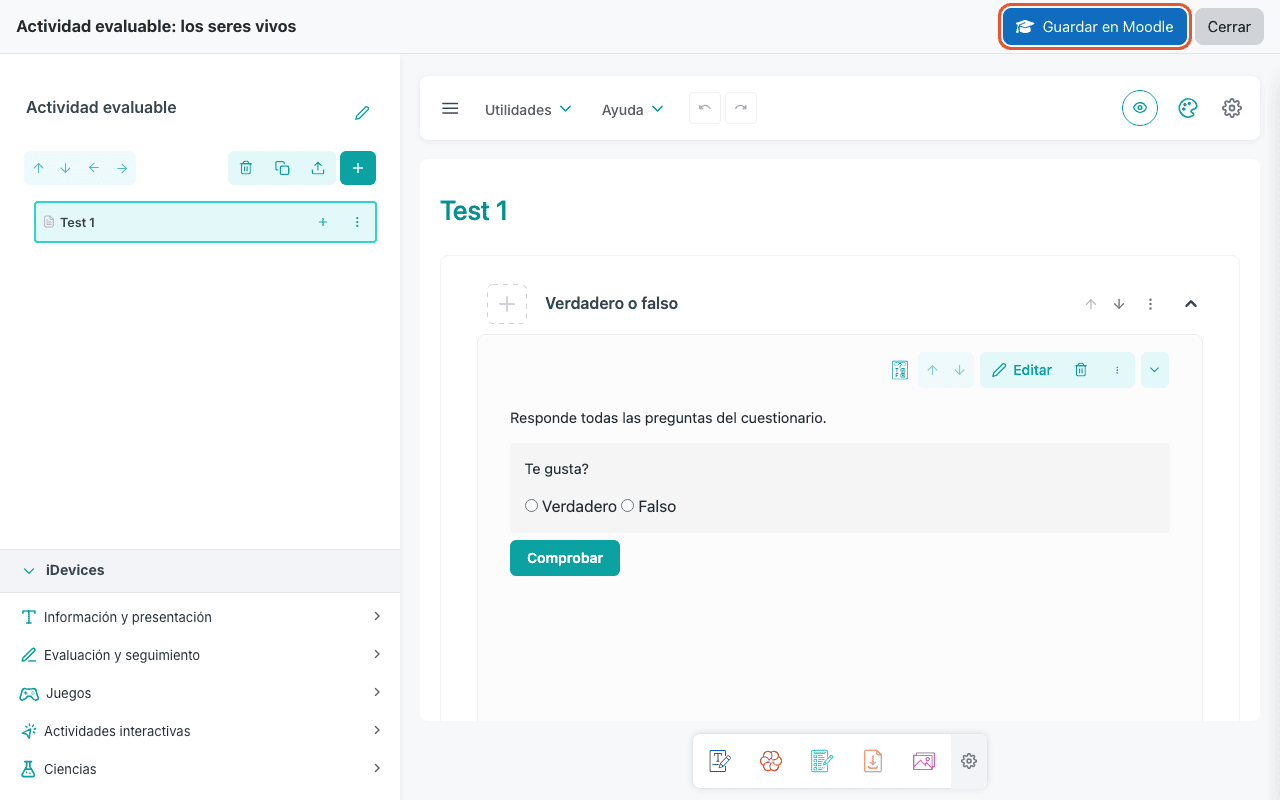
- Teachers upload a resource (
.elpx) or create a new one, and edit it with the Edit with eXeLearning button. The editor opens inside the platform. - When they save, the updated resource goes back to the platform. Students always see the latest version.
.elpx and .elp files
.elpx is the format of eXeLearning 3 and later. .elp files from older versions open in the
editor and are saved as .elpx.
Administrators and teachers
Each platform guide covers administration and teaching tasks. The unified Spanish manual brings installation, configuration and use together in one guide.
| Moodle, Nextcloud, WordPress, Omeka S | Google Drive, OneDrive | |
|---|---|---|
| Administrators | Install the plugin once per site, from the platform's admin panel. | Nothing to install. Optionally allow the app in the Google Workspace or Microsoft 365 domain, or host your own copy. |
| Teachers | Install nothing. They find eXeLearning in their course, files or posts. | Sign in with their school account and start. |
Rolling it out to every school in a region
Installation does not change with the number of teachers. With a shared platform (one Moodle, Nextcloud, WordPress multisite or Omeka S for every school), install the plugin there once and every teacher gets it. With one platform per school, repeat the same installation on each one. For Google Drive and OneDrive, review the domain settings once in the Google Workspace or Microsoft 365 admin console.
Screenshots
The screenshots in these guides show the Spanish interface. The steps are the same in any language.
Downloads
Always install the ZIP of the latest published release (Releases). The source code's Download ZIP button does not include the editor.
| Plugin | Download |
|---|---|
| Moodle · eXeLearning resource | https://github.com/exelearning/moodle-mod_exelearning/releases/latest |
| Moodle · eXeLearning (SCORM) | https://github.com/exelearning/mod_exescorm/releases/latest |
| Moodle · eXeLearning (website) | https://github.com/exelearning/mod_exeweb/releases/latest |
| Nextcloud | https://github.com/exelearning/nextcloud-exelearning/releases/latest |
| WordPress | https://github.com/exelearning/wp-exelearning/releases/latest |
| Omeka S | https://github.com/exelearning/omeka-s-exelearning/releases/latest |
| Google Drive | Nothing to install: https://exelearning.github.io/gdrive-exelearning/ |
| OneDrive | Nothing to install: https://exelearning.github.io/onedrive-exelearning/ |
Need help?
Report bugs and suggestions in the
eXeLearning repository. Each plugin has its own
label (moodle, nextcloud, wordpress, omeka-s, gdrive) so you can find similar reports.
Unified manual
The Spanish manual for eXeLearning 4.0.6 brings installation, configuration and use together in one guide, with revised text, screenshots and design. Read it online or download the editable eXeLearning project to adapt it and publish it as a website, SCORM package or ePub.
| Manual | Website | eXeLearning project |
|---|---|---|
| eXeLearning integration plugins (Spanish) | Open | manual.es.elpx |